Best AI Tools in 2025: A Beginner’s Guide to the Most Powerful AI Apps
Artificial Intelligence is no longer just for tech experts. Today, there are hundreds of AI-powered tools that anyone — students, freelancers, business owners, and creators — can use to work smarter, faster, and more creatively. But with so many options, where do you even begin?
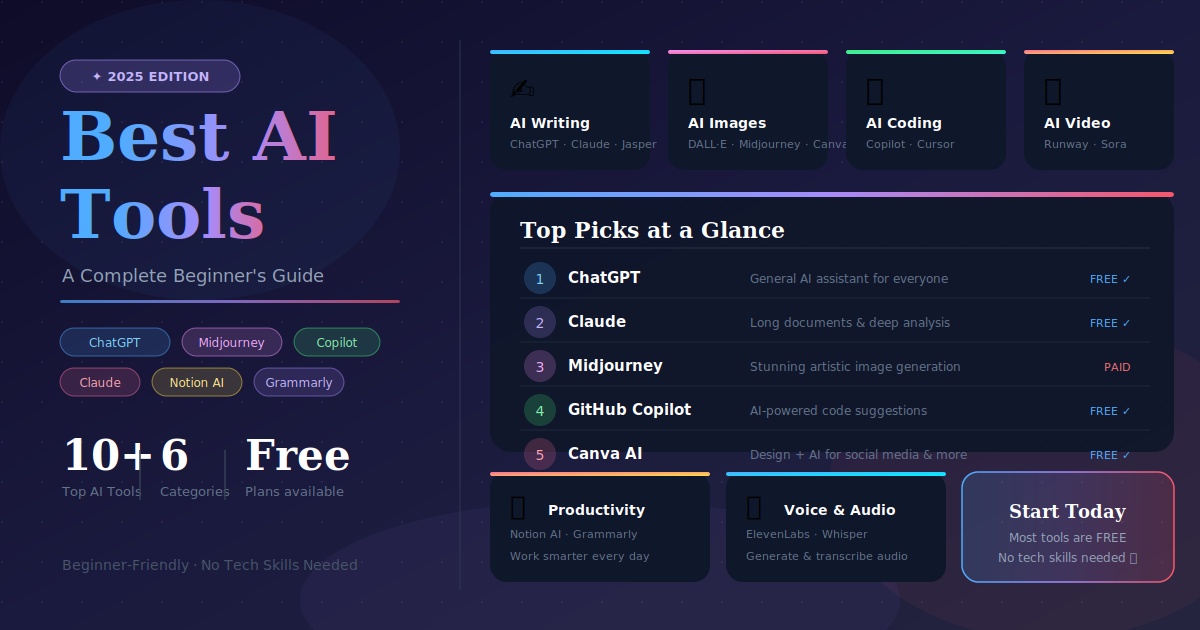
In this beginner-friendly guide, we’ll walk you through the best AI tools of 2025, what they do, how they differ, and which one is right for you. 🚀
🤖 What Are AI Tools?
AI tools are software applications powered by Artificial Intelligence that can perform tasks automatically — tasks that previously required human skill and time. These tools use technologies like Machine Learning, Natural Language Processing, and Computer Vision to understand, create, and solve problems.
Think of AI tools as your digital assistants — they can write content, generate images, analyze data, answer questions, write code, and much more, all in seconds.
🗂️ Categories of AI Tools
AI tools are grouped by what they do best. Here are the main categories:
- ✍️ AI Writing Tools — Create blog posts, emails, ad copy
- 🎨 AI Image Generators — Create art, graphics, photos from text
- 💻 AI Coding Tools — Write and fix code automatically
- 🎙️ AI Voice & Audio Tools — Generate voiceovers, transcribe audio
- 📊 AI Productivity Tools — Summarize, organize, automate tasks
- 🎬 AI Video Tools — Create and edit videos using AI
✍️ Best AI Writing Tools
1. ChatGPT (by OpenAI)
Best for: Writing, answering questions, brainstorming, research
ChatGPT is the most well-known AI chatbot in the world. You can ask it anything — from writing a blog post to explaining a complex topic in simple terms. It feels like chatting with a very knowledgeable friend.
- ✅ Free version available
- ✅ Supports text, images, and file uploads (ChatGPT Plus)
- ✅ Great for beginners
2. Claude (by Anthropic)
Best for: Long documents, analysis, thoughtful writing, coding
Claude is known for being safe, honest, and incredibly good at understanding long documents. It’s great for summarizing reports, writing detailed content, and having nuanced conversations.
- ✅ Handles very long texts (up to 100K+ tokens)
- ✅ Excellent at reasoning and analysis
- ✅ Free and paid versions available
3. Jasper AI
Best for: Marketing copy, ads, product descriptions
Jasper is built specifically for marketers and businesses. It has templates for blogs, emails, social media posts, and ad campaigns — making content creation super fast.
- ✅ 50+ content templates
- ✅ Brand voice customization
- ✅ Team collaboration features
🎨 Best AI Image Generation Tools
4. DALL·E 3 (by OpenAI)
Best for: Creating realistic images from text descriptions
Just type a description like “a futuristic city at sunset” and DALL·E generates a stunning image. It’s integrated directly into ChatGPT Plus.
- ✅ Easy to use with simple prompts
- ✅ High-quality, photorealistic results
- ✅ Available inside ChatGPT
5. Midjourney
Best for: Artistic, creative, and highly stylized images
Midjourney is the favorite tool of artists and designers. It creates breathtaking, artistic visuals that look like they were painted by a professional.
- ✅ Stunning artistic quality
- ✅ Great for branding and creative projects
- ⚠️ Requires Discord to use
6. Canva AI
Best for: Social media graphics, presentations, posters
Canva has added powerful AI features like Magic Design, text-to-image, and background remover. It’s perfect if you want AI + drag-and-drop design in one place.
- ✅ Very beginner-friendly
- ✅ Free version available
- ✅ AI + design tools in one platform
💻 Best AI Coding Tools
7. GitHub Copilot
Best for: Developers writing code faster
GitHub Copilot works inside your code editor and suggests entire lines or functions as you type. It’s like having a senior developer sitting next to you.
- ✅ Supports 20+ programming languages
- ✅ Works in VS Code, JetBrains, and more
- ✅ Speeds up coding by up to 55%
8. Cursor
Best for: AI-powered full code editing
Cursor is a code editor built around AI. You can describe what you want in plain English and it writes the code for you — even entire applications.
- ✅ Natural language to code
- ✅ Built-in AI chat for debugging
- ✅ Free tier available
📊 Best AI Productivity Tools
9. Notion AI
Best for: Notes, documents, project management
Notion AI adds powerful writing and summarizing features inside Notion. It can summarize meeting notes, generate action items, translate content, and more.
- ✅ Built into Notion workspace
- ✅ Great for teams and individuals
- ✅ Summarize, brainstorm, write — all in one
10. Grammarly
Best for: Improving writing quality and grammar
Grammarly is the world’s most popular writing assistant. It checks grammar, spelling, tone, and clarity in real-time — in emails, documents, social media, and more.
- ✅ Works across all browsers and apps
- ✅ Free and premium plans
- ✅ Tone detection and clarity suggestions
🔍 How Are These Tools Different?
| Tool | Category | Best For | Free Plan |
|---|---|---|---|
| ChatGPT | Writing / Chat | General AI assistant | ✅ Yes |
| Claude | Writing / Analysis | Long docs & reasoning | ✅ Yes |
| Jasper AI | Marketing Writing | Ad & blog copy | ❌ Paid only |
| DALL·E 3 | Image Generation | Realistic images | ✅ Limited |
| Midjourney | Image Generation | Artistic visuals | ❌ Paid only |
| Canva AI | Design | Social media graphics | ✅ Yes |
| GitHub Copilot | Coding | Code suggestions | ✅ Limited |
| Cursor | Coding | AI code editor | ✅ Yes |
| Notion AI | Productivity | Notes & summaries | ✅ Limited |
| Grammarly | Writing Assistant | Grammar & clarity | ✅ Yes |
🎯 Which AI Tool Should YOU Use?
- 👨🎓 Student? → Start with ChatGPT or Claude for research and writing help
- 📝 Blogger / Content Creator? → Try Jasper AI or ChatGPT
- 🎨 Designer / Artist? → Go with Midjourney or Canva AI
- 💻 Developer? → Use GitHub Copilot or Cursor
- 🏢 Business Owner? → Notion AI + Grammarly is a great combo
- 📱 Social Media Manager? → Canva AI + ChatGPT for content & graphics
✅ Summary
- ✔️ AI tools help you work faster, smarter, and more creatively
- ✔️ Different tools serve different purposes — writing, design, coding, productivity
- ✔️ Most top AI tools offer free plans to get started
- ✔️ The best tool depends on YOUR goals and workflow
- ✔️ AI tools don’t replace you — they supercharge you
The best part? You don’t need to be a tech expert to use any of these tools. Most are as simple as typing a message or clicking a button. Start with one tool today and watch how it transforms the way you work!
Which AI tool are you excited to try first? Drop a comment below! 👇
Recent Comments