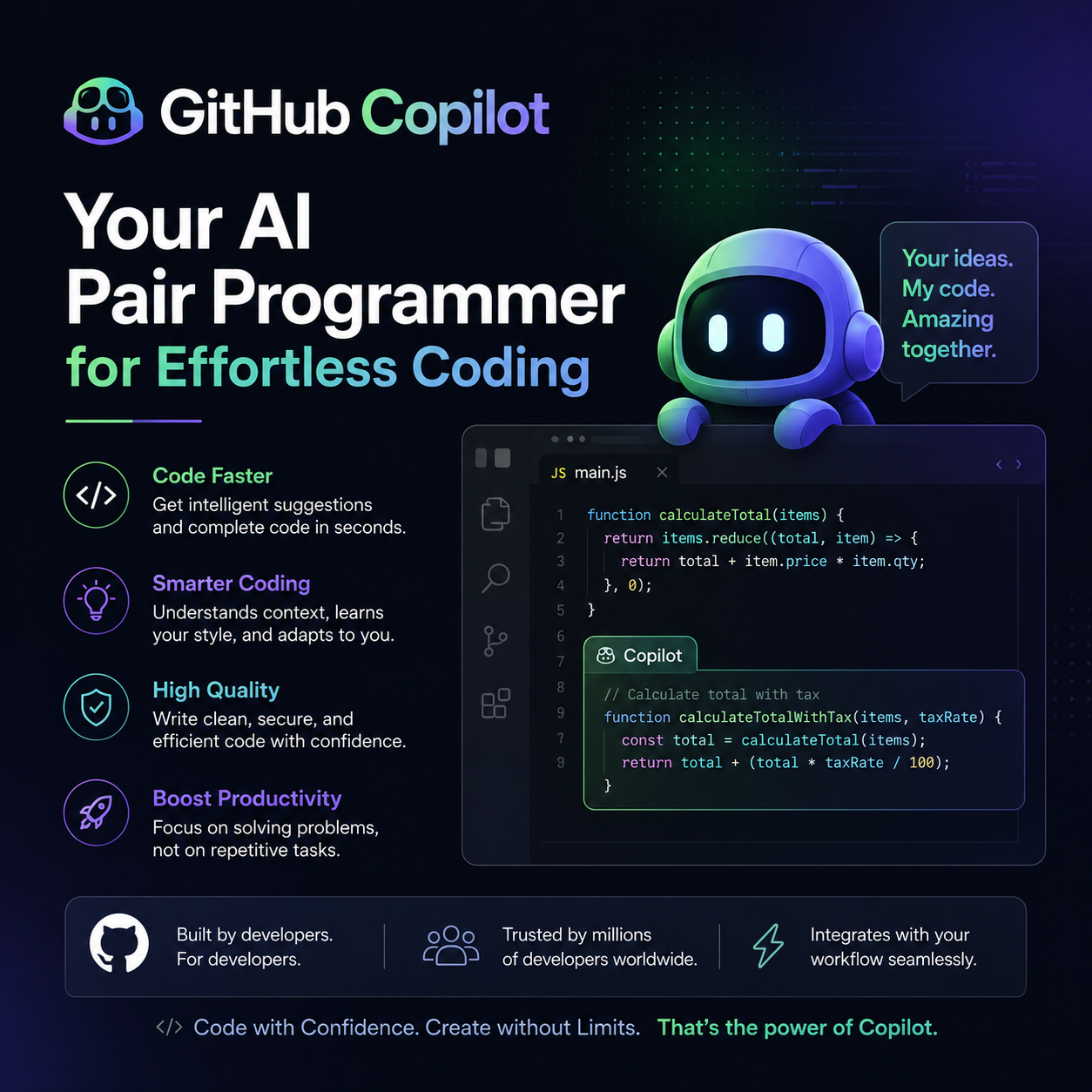
In the ever-evolving landscape of software development, efficiency and speed are paramount. Developers constantly seek tools that can streamline their workflow, reduce repetitive tasks, and help them learn faster. Enter GitHub Copilot, an AI-powered pair programmer that’s revolutionizing how we write code. Whether you’re a seasoned veteran or just embarking on your coding journey, Copilot promises to be an invaluable assistant. This comprehensive guide will dive deep into what GitHub Copilot is, how it works, its benefits, potential drawbacks, and how you can start leveraging its power today.
What is GitHub Copilot?
GitHub Copilot, often referred to as “AI pair programmer,” is a cloud-based AI tool developed by GitHub and OpenAI. It’s designed to help developers write code faster and more efficiently by providing intelligent code suggestions in real-time, directly within your integrated development environment (IDE). Think of it as a highly knowledgeable colleague who anticipates your needs and offers solutions before you even fully articulate them.
Copilot analyzes the context of your code – the surrounding code, comments, and even the file name – to understand your intent. Based on this analysis, it suggests lines of code, entire functions, and even unit tests. This capability is powered by a large language model trained on a massive dataset of publicly available code from GitHub and other sources.
How Does GitHub Copilot Work?
The magic behind GitHub Copilot lies in its sophisticated AI model. Here’s a simplified breakdown of its operational process:
- Contextual Analysis: When you start typing code, Copilot continuously monitors your IDE. It gathers information about your current file, other open files, and even your cursor’s position to understand the broader context of your project.
- Pattern Recognition: The AI model has been trained on billions of lines of code, allowing it to recognize common coding patterns, algorithms, and best practices across various programming languages.
- Suggestion Generation: Based on the context and its vast knowledge base, Copilot generates relevant code suggestions. These suggestions can range from simple autocompletion of a variable name to the generation of complex functions or boilerplate code.
- Real-time Feedback: Copilot presents these suggestions directly in your IDE, often as greyed-out text that you can accept with a keypress (usually Tab). You can also cycle through multiple suggestions or ignore them if they aren’t what you need.
- Learning and Adaptation: While Copilot doesn’t directly learn from your individual code (for privacy reasons), the underlying models are periodically updated with new data, meaning its capabilities continuously improve.
Key Features and Benefits of GitHub Copilot
GitHub Copilot offers a plethora of features that can significantly enhance a developer’s productivity and learning experience:
1. Accelerated Code Writing
- Boilerplate Code Generation: Say goodbye to manually writing repetitive code. Copilot can generate common structures, setup functions, and repetitive patterns instantly.
- Function and Method Suggestions: As you start defining a function or method, Copilot can often suggest the entire implementation based on its name and the surrounding code.
- Autocompletion on Steroids: Beyond simple variable name completion, Copilot offers intelligent suggestions for entire lines or blocks of code, drastically reducing typing.
2. Improved Code Quality and Consistency
- Unit Test Generation: Copilot can suggest unit tests for your functions, helping you ensure code correctness and maintainability. This is particularly helpful for developers who might find test writing tedious.
- Adherence to Patterns: By learning from vast amounts of well-written code, Copilot can subtly guide you towards more idiomatic and efficient coding practices.
- Reduced Typos and Syntax Errors: The intelligent suggestions often prevent common typographical errors and syntax mistakes.
3. Enhanced Learning and Exploration
- Discovering New APIs and Libraries: When you’re unsure how to use a particular library or API, Copilot can suggest common usage patterns, effectively acting as a quick reference.
- Understanding Unfamiliar Code: You can often write comments explaining what you want a piece of code to do, and Copilot will suggest the implementation, helping you grasp new concepts.
- Learning New Languages and Frameworks: For developers exploring new technologies, Copilot can provide examples and implementations, easing the learning curve.
4. Multilingual Support
Copilot isn’t limited to just one or two programming languages. It supports a wide array of languages, including:
- Python
- JavaScript
- TypeScript
- Ruby
- Go
- C#
- C++
- Java
- And many more!
5. IDE Integration
Copilot seamlessly integrates with popular IDEs, making it feel like a natural extension of your development environment. Some of the key IDEs it supports include:
- Visual Studio Code (VS Code)
- Visual Studio
- Neovim
- JetBrains IDEs (e.g., IntelliJ IDEA, PyCharm, WebStorm)
Potential Drawbacks and Considerations
While GitHub Copilot is a powerful tool, it’s essential to be aware of its limitations and potential drawbacks:
- Accuracy and Correctness: Copilot’s suggestions are not always perfect. They can sometimes be incorrect, inefficient, or even introduce subtle bugs. Developers must always review and understand the suggested code before accepting it.
- Security Vulnerabilities: As Copilot is trained on public code, there’s a possibility it might suggest code with known security vulnerabilities if those patterns exist in its training data.
- Code Originality and Licensing: There have been discussions about the originality of the code generated by Copilot and its adherence to open-source licenses. While GitHub states it generates novel code, developers should be mindful of potential intellectual property concerns.
- Over-reliance: Developers, especially beginners, might become overly reliant on Copilot, potentially hindering their ability to solve problems independently and deeply understand underlying concepts.
- Privacy Concerns: While GitHub assures that your private code is not used to train public models, some developers may still have privacy concerns about code being processed by an external service.
Who Can Benefit from GitHub Copilot?
The beauty of GitHub Copilot is its broad applicability:
- Beginner Developers: Copilot can significantly lower the barrier to entry by providing immediate assistance and examples, helping beginners learn syntax, common patterns, and build confidence.
- Experienced Developers: For seasoned programmers, Copilot can act as a productivity booster, automating tedious tasks, and freeing up mental energy for more complex problem-solving.
- Open-Source Contributors: Quickly generating boilerplate or understanding how to implement common features can make contributing to open-source projects more accessible.
- Students and Educators: Copilot can be a valuable tool for learning and teaching programming concepts, offering practical examples and explanations.
Getting Started with GitHub Copilot
Ready to experience the power of AI-assisted coding? Here’s how you can get started:
- GitHub Account: You’ll need a GitHub account.
- Subscription: GitHub Copilot is a paid service, though it offers a free trial period. You can choose between individual or business plans.
- IDE Extension: Install the GitHub Copilot extension for your preferred IDE (e.g., VS Code, Visual Studio, JetBrains IDEs). You can typically find these in the respective IDE’s extension marketplace.
- Sign In: After installing the extension, you’ll be prompted to sign in to your GitHub account.
- Start Coding: Once authenticated, Copilot will begin offering suggestions as you write code.
Pro Tip: Experiment with writing clear, descriptive comments. Copilot often uses comments as a strong signal for what code you intend to write.
The Future of Coding with AI
GitHub Copilot represents a significant leap forward in the integration of artificial intelligence into the software development lifecycle. As AI models become more sophisticated, we can expect even more advanced capabilities, potentially including:
- Automated Debugging: AI that can identify and suggest fixes for bugs.
- Code Refactoring: AI that can automatically refactor code for better performance or readability.
- Natural Language to Code: More intuitive ways to describe desired functionality in plain English and have Copilot generate the code.
While AI tools like Copilot are unlikely to replace human developers entirely, they are undoubtedly set to become indispensable partners in the coding process, empowering us to build better software, faster.
Conclusion
GitHub Copilot is more than just a fancy autocomplete tool; it’s an intelligent assistant that can transform your coding workflow. By providing real-time code suggestions, generating tests, and assisting in understanding complex code, it empowers developers of all levels to be more productive, write higher-quality code, and learn more effectively. Remember to approach its suggestions with a critical eye, always reviewing and understanding the code it generates. As AI continues to evolve, tools like GitHub Copilot will undoubtedly play an increasingly vital role in shaping the future of software development.
Frequently Asked Questions (FAQ)
Q1: Is GitHub Copilot free?
A1: GitHub Copilot is a paid service, but it offers a free trial period for individuals and specific groups like verified students and maintainers of popular open-source projects.
Q2: Does GitHub Copilot write all my code for me?
A2: No, GitHub Copilot assists you by suggesting code. You still need to guide it, review its suggestions, and make the final decisions. It’s a pair programmer, not an auto-coder.
Q3: Is the code generated by Copilot original?
A3: GitHub states that Copilot generates novel code by combining and transforming patterns learned from its training data. However, it’s always a good practice to be aware of potential licensing implications.
Q4: What programming languages does GitHub Copilot support?
A4: Copilot supports a wide range of popular programming languages, including Python, JavaScript, TypeScript, Java, Go, C#, Ruby, and many more.
Q5: How can I improve Copilot’s suggestions?
A5: Writing clear, descriptive comments, using meaningful variable and function names, and structuring your code logically can significantly help Copilot understand your intent and provide better suggestions.