Docker vs Traditional Deployment: Which is Better for Your Application?
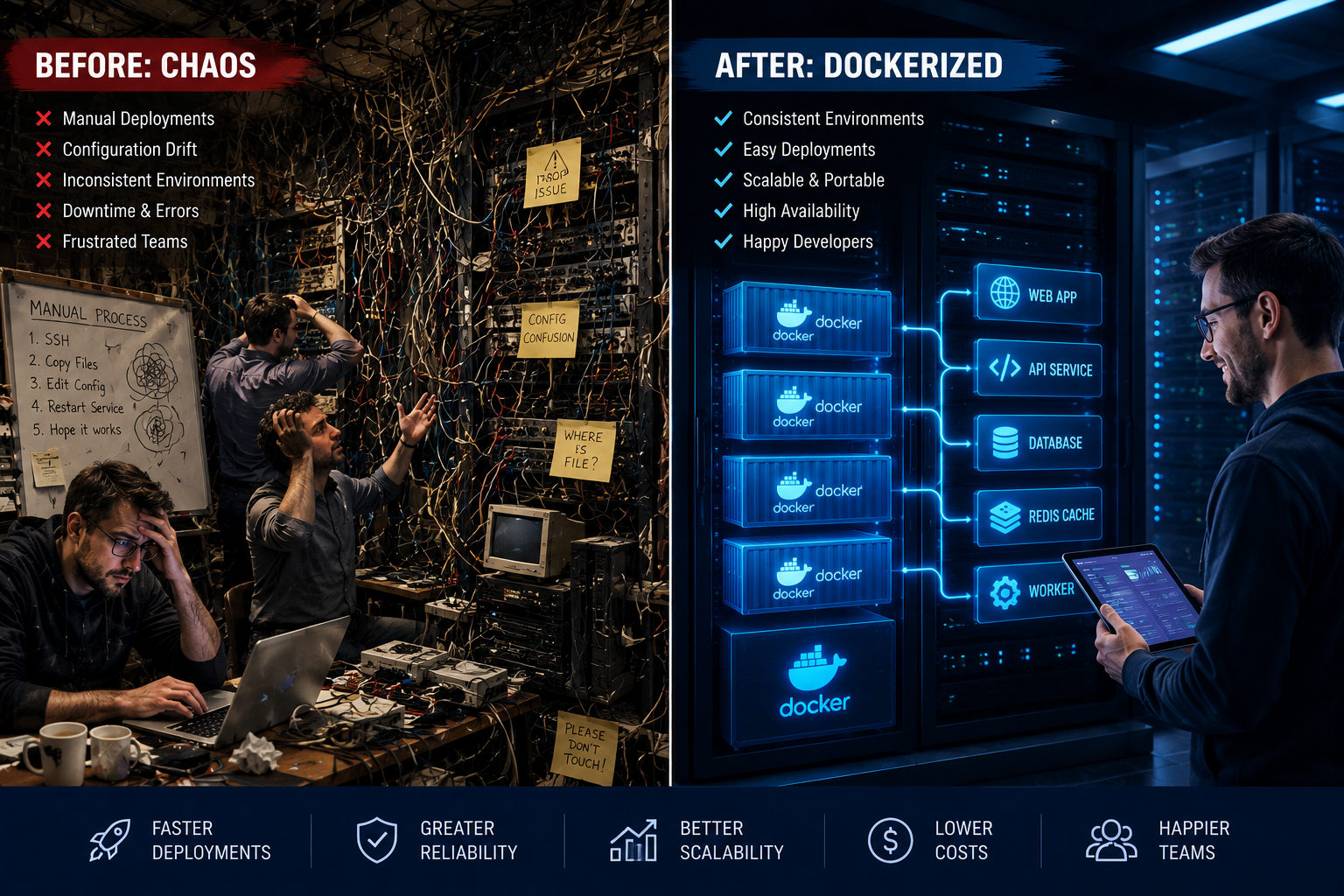
In the ever-evolving landscape of software development, the way we package, deploy, and manage applications is crucial to their success. Two prominent approaches stand out: traditional deployment and Docker. While traditional methods have served us well for decades, containerization with Docker has revolutionized the industry, offering a compelling alternative with numerous advantages. But which is truly better? This comprehensive guide will delve deep into the nuances of Docker vs. traditional deployment, helping you understand their strengths, weaknesses, and ultimately, make an informed decision for your next project.
Understanding Traditional Deployment
Before we dive into the world of Docker, let’s first establish a baseline by understanding what constitutes traditional deployment. In essence, traditional deployment involves installing and configuring an application directly onto a server’s operating system. This often entails manual installation of dependencies, libraries, and specific versions of software required for the application to run. Think of it as setting up a home on a plot of land, where you bring all the building materials and construct your house piece by piece.
The Traditional Deployment Process
The typical traditional deployment workflow might look something like this:
- Server Provisioning: Acquiring and setting up a physical or virtual server.
- Operating System Installation: Installing a specific operating system (e.g., Ubuntu, CentOS, Windows Server).
- Dependency Installation: Manually installing all necessary software packages, libraries, and runtimes required by the application. This can be a complex and time-consuming process, often involving command-line interfaces and package managers.
- Application Installation: Deploying the application code and any associated configuration files.
- Environment Configuration: Configuring databases, web servers (like Apache or Nginx), and other middleware services.
- Testing: Thoroughly testing the application on the provisioned server to ensure it functions as expected.
- Maintenance and Updates: Regularly patching the operating system, updating dependencies, and deploying new versions of the application, all of which can be intricate and prone to errors.
Pros of Traditional Deployment
Despite its drawbacks, traditional deployment still holds some advantages, particularly in specific scenarios:
- Simplicity for Small Projects: For very small, single-server applications with minimal dependencies, the setup might appear straightforward.
- Familiarity: Many IT professionals are deeply familiar with traditional deployment methods, making them comfortable with the process.
- Direct Hardware Access: In some niche cases, direct access and control over the underlying hardware might be a requirement, which traditional methods facilitate.
Cons of Traditional Deployment
The challenges associated with traditional deployment are significant and often lead to inefficiencies:
- “It Works on My Machine” Syndrome: Inconsistent environments between development, testing, and production are a common and frustrating issue. Differences in operating systems, library versions, or configurations can lead to bugs that are difficult to track down.
- Dependency Hell: Managing complex dependencies and ensuring compatibility between different software versions can quickly become a nightmare. Upgrading one dependency might break another, leading to a cascade of issues.
- Slow and Error-Prone Deployments: Manual installations and configurations are inherently slow and susceptible to human error. A forgotten step or a typo can bring down an entire application.
- Scalability Challenges: Scaling traditional applications often involves manually provisioning and configuring new servers, which is a laborious and time-consuming process.
- Resource Inefficiency: Each application typically requires its own operating system, which consumes significant resources, even if the application itself is not heavily utilized.
- Difficulty in Rollbacks: Reverting to a previous version of an application in a traditional setup can be complex and risky.
Introducing Docker: The Containerization Revolution
Docker has emerged as a game-changer in the world of software deployment. It’s an open-source platform that enables developers to automate the deployment, scaling, and management of applications using containers. Think of a container as a lightweight, standalone, executable package of software that includes everything needed to run it: code, runtime, system tools, system libraries, and settings. This is akin to moving into a fully furnished, prefabricated apartment – everything you need is already there, and it’s guaranteed to be the same no matter which identical apartment you choose.
How Docker Works: Images and Containers
Docker’s core concepts revolve around images and containers:
- Docker Images: An image is a read-only template containing the instructions to create a Docker container. It’s like a blueprint for your application’s environment. Images are built from a Dockerfile, which is a text file containing a series of commands that define the image’s contents and configuration.
- Docker Containers: A container is a runnable instance of a Docker image. When you run an image, you create a container. Containers are isolated from each other and from the host system, ensuring that applications run in a consistent and predictable environment.
The Docker Deployment Process
The Docker deployment process is significantly streamlined:
- Dockerfile Creation: Developers write a Dockerfile to define the application’s environment, including dependencies, code, and configurations.
- Image Building: The Dockerfile is used to build a Docker image. This image is self-contained and includes all necessary components.
- Container Running: The Docker image is then used to launch one or more containers. These containers can be run on any machine with Docker installed, ensuring consistency across development, testing, and production environments.
- Orchestration (Optional but Recommended): For managing multiple containers, tools like Docker Compose (for single-host deployments) or Kubernetes (for complex, multi-host deployments) are used to orchestrate and automate container management.
Pros of Docker
Docker offers a plethora of advantages that address the shortcomings of traditional deployment:
- Consistency and Portability: Docker containers encapsulate an application and its dependencies, guaranteeing that it will run the same way regardless of the underlying infrastructure. This effectively eliminates the “It works on my machine” problem.
- Isolation: Containers provide process and filesystem isolation, preventing conflicts between applications and ensuring a secure execution environment.
- Rapid Deployment and Scalability: Spinning up new containers is incredibly fast, making it easy to scale applications up or down based on demand. Deployments and rollbacks are also much quicker and more reliable.
- Resource Efficiency: Containers share the host operating system’s kernel, making them much more lightweight and resource-efficient than traditional virtual machines or bare-metal deployments. Multiple containers can run on a single server, maximizing hardware utilization.
- Simplified Dependency Management: All dependencies are defined within the Dockerfile and baked into the image, eliminating “dependency hell.”
- DevOps Enablement: Docker significantly facilitates DevOps practices by providing a consistent environment for development, testing, and production, fostering collaboration and automation.
- Microservices Architecture: Docker is an ideal fit for microservices architectures, allowing each service to be packaged and deployed independently in its own container.
Cons of Docker
While powerful, Docker isn’t without its learning curve and potential drawbacks:
- Learning Curve: Understanding Docker concepts like Dockerfiles, images, containers, and orchestration tools requires an initial investment in learning.
- Security Concerns: While containers offer isolation, improper configuration or security practices can still lead to vulnerabilities. It’s crucial to follow best practices for image security and container management.
- Persistent Storage: Managing persistent data for stateful applications within containers requires careful consideration and proper configuration of volumes.
- Orchestration Complexity: For large-scale, distributed applications, managing containers with orchestration tools like Kubernetes can introduce significant complexity.
- Not a Replacement for Virtual Machines (in all cases): For applications that require a full operating system environment or specific hardware access, virtual machines might still be a more suitable choice.
Docker vs. Traditional Deployment: A Direct Comparison
Let’s summarize the key differences in a comparative view:
| Feature | Traditional Deployment | Docker Deployment |
|---|---|---|
| Environment Consistency | Low (prone to “works on my machine”) | High (guaranteed consistency) |
| Dependency Management | Complex (“dependency hell”) | Simplified (defined in Dockerfile) |
| Deployment Speed | Slow and manual | Fast and automated |
| Scalability | Challenging and slow | Rapid and efficient |
| Resource Utilization | Lower (each app has its own OS) | Higher (shared OS kernel) |
| Isolation | Limited (OS level) | High (container level) |
| Portability | Low (tied to specific OS/environment) | High (runs anywhere Docker is installed) |
| Rollbacks | Complex and risky | Easier and more reliable |
| Learning Curve | Generally lower for basic setups | Moderate to high, especially with orchestration |
When to Choose Docker
Docker is an excellent choice for a wide range of scenarios:
- Modern Web Applications: Especially those built with microservices architectures.
- CI/CD Pipelines: Docker integrates seamlessly with continuous integration and continuous deployment workflows, enabling faster and more reliable releases.
- Development and Testing Environments: Developers can spin up consistent, isolated environments quickly, leading to faster development cycles and fewer bugs.
- Applications Requiring Scalability: When your application needs to handle fluctuating traffic demands, Docker’s rapid scaling capabilities are invaluable.
- Cross-Platform Compatibility: If you need your application to run consistently across different operating systems and cloud providers.
- Legacy Application Modernization: Docker can be used to package and run older applications, making them more manageable and deployable.
When Traditional Deployment Might Still Be Relevant
While Docker offers significant advantages, there are still a few situations where traditional deployment might be considered:
- Extremely Simple, Single-Server Applications: For a very basic, internal application with no external dependencies and no anticipated scaling needs, the overhead of learning Docker might not be justified.
- Environments with Strict Security or Compliance Restrictions: In highly regulated industries, there might be specific requirements or legacy systems that make adopting containerization challenging. However, even in these cases, containerization is increasingly being adopted with appropriate security measures.
- When You Have Deeply Entrenched Legacy Systems and No Resources for Modernization: If your organization relies heavily on outdated infrastructure and lacks the budget or personnel to adopt new technologies, sticking with traditional methods might be the pragmatic, albeit suboptimal, choice in the short term.
Frequently Asked Questions (FAQ)
Is Docker secure?
Docker can be secure when configured and used correctly. It provides isolation between containers, but security best practices, such as minimizing the attack surface of images, regularly updating images, and properly configuring network access, are essential.
Does Docker replace virtual machines?
Not entirely. Docker containers share the host OS kernel, making them much lighter than virtual machines, which each have their own operating system. VMs are still necessary for running applications that require a full OS environment or isolated hardware access.
What is the learning curve for Docker?
The learning curve for basic Docker usage is moderate. Understanding Dockerfiles, images, and containers is relatively straightforward. However, mastering orchestration tools like Kubernetes for complex deployments can have a steeper learning curve.
Can I run Docker on Windows?
Yes, Docker Desktop provides a Docker environment for Windows and macOS, allowing you to build and run containerized applications on your local machine.
What are the benefits of using Docker for microservices?
Docker is ideal for microservices because it allows each service to be independently packaged, deployed, and scaled in its own container. This promotes modularity, resilience, and easier management of complex applications.
Conclusion
In the Docker vs. traditional deployment debate, the scales are heavily tipped in favor of Docker for most modern software development needs. While traditional deployment methods have their historical place, they are often characterized by inefficiency, inconsistency, and scalability challenges. Docker, with its containerization paradigm, offers a robust solution for building, shipping, and running applications anywhere. It brings unparalleled consistency, speed, and resource efficiency, making it an indispensable tool for developers and operations teams alike. As you plan your next application, consider the long-term benefits of adopting Docker – a choice that will likely lead to faster development cycles, more reliable deployments, and a more agile and scalable infrastructure. The future of application deployment is containerized, and Docker is at the forefront of this revolution.