AWS Cloud Services
The world of cloud computing can seem vast and complex, especially when you’re just starting. Amazon Web Services (AWS) is the undisputed leader in this space, offering an incredibly diverse range of services that power everything from small startups to global enterprises. If you’ve heard the buzz around AWS and are curious about what it all means, or if you’re looking to build your first cloud application, this guide is for you. We’ll break down the core concepts and introduce you to some of the most fundamental AWS services in a way that’s easy to understand, even if you have no prior cloud experience. Think of this as your friendly roadmap to navigating the Amazon cloud.
What is Cloud Computing and Why AWS?
Before diving into specific services, let’s get a basic understanding of cloud computing. In essence, cloud computing means accessing computing resources—like servers, storage, databases, networking, and software—over the internet on a pay-as-you-go basis. Instead of buying and maintaining your own physical data centers and servers, you rent these resources from a cloud provider.
Why is AWS so popular? Several factors contribute to its dominance:
- Vast Service Portfolio: AWS offers hundreds of services, covering almost every imaginable IT need.
- Global Reach: With data centers spread across the globe, AWS allows you to deploy applications closer to your users, improving performance and reducing latency.
- Scalability and Elasticity: You can easily scale your resources up or down based on demand, ensuring you only pay for what you use and can handle traffic spikes without issues.
- Reliability and Security: AWS has a robust infrastructure designed for high availability and offers comprehensive security features to protect your data.
- Innovation: AWS is constantly innovating, releasing new services and features to keep pace with technological advancements.
Core AWS Concepts for Beginners
To understand AWS, you need to grasp a few fundamental concepts:
- Regions and Availability Zones (AZs): AWS infrastructure is organized into Regions, which are physical geographic locations. Each Region consists of multiple isolated and physically separate Availability Zones. AZs are designed to be fault-tolerant, meaning if one AZ goes down, another can take over, ensuring high availability.
- Virtual Private Cloud (VPC): A VPC is your own private, isolated section of the AWS Cloud. It allows you to launch AWS resources in a virtual network that you define. You have complete control over your virtual networking environment, including IP address range selection, subnets, route tables, and network gateways.
- Identity and Access Management (IAM): IAM is a critical security service that helps you manage access to AWS services and resources securely. You can create users, groups, and roles, and define permissions for each, ensuring that only authorized individuals or applications can access specific resources.
Essential AWS Services for Beginners
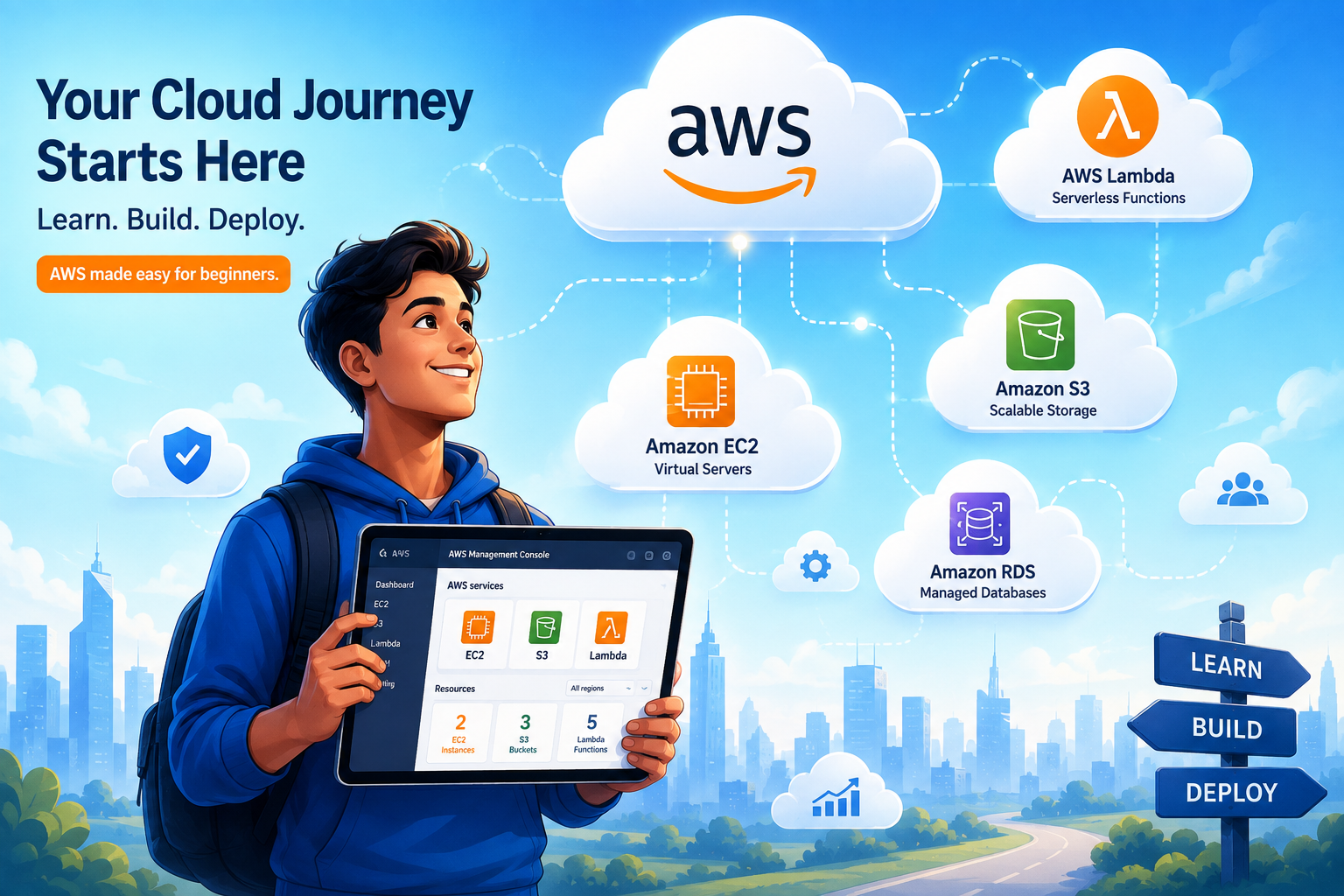
Let’s explore some of the most commonly used and fundamental AWS services that every beginner should know:
1. Amazon Elastic Compute Cloud (EC2): The Virtual Servers
Think of EC2 as renting virtual computers in the cloud. These are virtual servers that you can customize to your needs, installing operating systems, applications, and configuring them as you would a physical server. EC2 provides:
- Compute Capacity: Choose from a wide range of instance types (sizes and configurations) optimized for various workloads, from general-purpose computing to compute-intensive tasks.
- Operating Systems: Launch instances with Linux, Windows Server, or other operating systems.
- Storage: Attach persistent storage volumes (EBS volumes) to your instances, which behave like hard drives.
- Networking: Configure networking settings for your instances within your VPC.
Use Cases: Hosting websites, running applications, batch processing, high-performance computing.
2. Amazon Simple Storage Service (S3): Object Storage
S3 is Amazon’s highly scalable object storage service. It’s designed for durability, availability, and performance. Instead of storing files in a hierarchical file system like on your computer, S3 stores data as objects within buckets. Each object consists of the data itself, a unique key (its name), and metadata.
- Durability: S3 is designed to provide 99.999999999% (11 nines) of durability for your data, meaning it’s incredibly unlikely you’ll ever lose an object.
- Scalability: You can store virtually unlimited amounts of data.
- Accessibility: Access your data from anywhere on the web using simple APIs or the AWS Management Console.
- Storage Classes: S3 offers different storage classes optimized for various access patterns and cost-effectiveness (e.g., S3 Standard for frequently accessed data, S3 Glacier for long-term archiving).
Use Cases: Storing backups, archiving data, hosting static websites, distributing content.
3. Amazon Relational Database Service (RDS): Managed Databases
Managing a database can be complex, involving setup, patching, backups, and scaling. RDS simplifies this by providing managed relational database services. AWS handles the routine database tasks, allowing you to focus on your application.
- Multiple Database Engines: RDS supports popular engines like MySQL, PostgreSQL, Oracle, SQL Server, and Amazon Aurora (AWS’s own high-performance database).
- Managed Operations: AWS automates tasks like hardware provisioning, database setup, patching, and backups.
- Scalability: Easily scale your database capacity up or down as your needs change.
- High Availability: Configure multi-AZ deployments for automatic failover in case of an instance failure.
Use Cases: Storing application data, managing customer information, e-commerce transaction data.
4. AWS Lambda: Serverless Computing
Lambda is a revolutionary compute service that lets you run code without provisioning or managing servers. You simply upload your code, and Lambda automatically handles the infrastructure required to run and scale your code with high availability. You only pay for the compute time you consume—when your code is running.
- Event-Driven: Lambda functions are triggered by events, such as changes in S3 buckets, API Gateway requests, or database modifications.
- No Server Management: You don’t need to provision, patch, or manage any servers.
- Automatic Scaling: Lambda scales your application by running code in response to each trigger.
- Cost-Effective: Pay only for the compute time consumed by your code.
Use Cases: Building event-driven applications, data processing, web application backends, IoT backends.
5. Amazon Virtual Private Cloud (VPC): Your Network in the Cloud
As mentioned earlier, VPC allows you to create a private, isolated network within AWS. It’s fundamental for controlling network access to your AWS resources.
- Network Isolation: Keep your resources separate from other AWS customers.
- IP Addressing: Define your own IP address range for your VPC.
- Subnets: Divide your VPC into subnets for organizing resources and controlling traffic flow.
- Security Groups and Network ACLs: Implement firewalls at the instance level (Security Groups) and subnet level (Network ACLs) to control inbound and outbound traffic.
- Internet Gateway: Connect your VPC to the public internet.
Use Cases: Securely deploying applications, controlling network traffic, establishing connectivity between on-premises data centers and AWS.
6. AWS Identity and Access Management (IAM): Security First
IAM is crucial for managing who can do what in your AWS account. It allows you to create and manage AWS users and groups, and to use permissions to control what resources they can access.
- Least Privilege Principle: Grant only the necessary permissions to users and services.
- User Management: Create individual IAM users for people who need access to your AWS account.
- Group Management: Group IAM users together and assign permissions to the group, simplifying permission management.
- Role-Based Access Control: Use IAM roles to grant temporary permissions to users or services without long-term credentials.
Use Cases: Securing your AWS account, managing user access to resources, enabling programmatic access for applications.
Getting Started with AWS: Your First Steps
Embarking on your AWS journey can be exciting. Here’s a practical approach to get you started:
- Create an AWS Account: Visit the AWS website and sign up for a free tier account. This allows you to experiment with many AWS services without incurring significant costs.
- Explore the AWS Management Console: The AWS Management Console is your web-based interface for interacting with AWS services. Familiarize yourself with its layout and navigation.
- Start with the Free Tier: Leverage the AWS Free Tier to explore services like EC2, S3, RDS, and Lambda without charge for a specified period or usage limit.
- Follow Tutorials and Documentation: AWS provides extensive documentation and a wealth of tutorials for beginners. Look for guides on launching your first EC2 instance, creating an S3 bucket, or deploying a simple Lambda function.
- Build a Simple Project: The best way to learn is by doing. Try building a simple static website hosted on S3, or a basic web application with a backend powered by Lambda and API Gateway.
- Understand Billing: Even with the free tier, it’s essential to understand AWS billing. Set up billing alerts to monitor your spending and avoid unexpected charges.
Frequently Asked Questions (FAQ)
- What is the AWS Free Tier?
The AWS Free Tier is an offering that provides customers with limited free access to many AWS services for 12 months following their AWS sign-up date. It also includes some services that are always free.
- Is AWS difficult to learn?
AWS has a steep learning curve due to its vast number of services. However, by starting with core services and following guided learning paths, beginners can effectively grasp the fundamentals.
- What are the most important AWS services for a beginner to learn first?
For beginners, it’s highly recommended to start with EC2, S3, RDS, Lambda, VPC, and IAM. These services form the backbone of many cloud applications.
- How much does AWS cost?
AWS operates on a pay-as-you-go model, meaning you only pay for the services you use. Costs vary significantly depending on the services, usage, and configurations. The AWS Free Tier helps new users experiment without immediate costs.
- What is the difference between IaaS, PaaS, and SaaS in relation to AWS?
AWS primarily offers Infrastructure as a Service (IaaS) with services like EC2 and S3, and Platform as a Service (PaaS) with services like RDS and Elastic Beanstalk. Some AWS services can also be considered Software as a Service (SaaS).
Conclusion
AWS is a powerful and comprehensive cloud platform that offers immense opportunities for individuals and businesses. By demystifying core concepts like Regions, AZs, VPCs, and IAM, and by introducing fundamental services such as EC2, S3, RDS, and Lambda, this guide has aimed to provide a solid foundation for your cloud journey. Remember that continuous learning and hands-on practice are key. Don’t be intimidated by the breadth of services; start small, experiment, and gradually expand your knowledge. The cloud is a powerful tool, and with AWS, you have the potential to build, innovate, and scale like never before.